# Periodic Quest

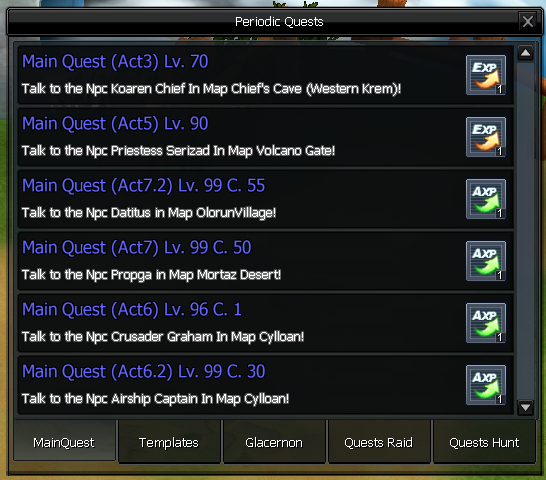
Open the widget menu and select the scroll icon. ![](https://184385222-files.gitbook.io/~/files/v0/b/gitbook-x-prod.appspot.com/o/spaces%2FVEJhB8Nzrd87iRrePOMc%2Fuploads%2FFZCUXzHgHb6CFetrKNMy%2Fimage.png?alt=media\&token=8572dd6d-275a-423c-9569-daa0baaeda62) A widget will open in game that allows you to access all the&#x20;

<figure><img src="https://184385222-files.gitbook.io/~/files/v0/b/gitbook-x-prod.appspot.com/o/spaces%2FVEJhB8Nzrd87iRrePOMc%2Fuploads%2F4I7qACJb2HsnYVHbpYGE%2Fimage.png?alt=media&#x26;token=548e46aa-e339-49c8-9b61-ef06c139a9b9" alt=""><figcaption></figcaption></figure>

To obtain a quest, you need to click on the title, and it will then appear on the right in the menu.

<figure><img src="https://184385222-files.gitbook.io/~/files/v0/b/gitbook-x-prod.appspot.com/o/spaces%2FVEJhB8Nzrd87iRrePOMc%2Fuploads%2FYYXJwCBstWrS2god80EH%2Fimage.png?alt=media&#x26;token=8134f0a0-4417-4ec1-84f4-5afab4077930" alt=""><figcaption></figcaption></figure>

In the Widget, your quest will appear in red this means that the quest is already active on your character.